Artificial intelligence is changing the way people create and consume digital content. One useful example is AI voice generation, which can turn written text into spoken audio within seconds.
From YouTube videos and podcasts to online courses and business presentations, AI-generated voices are becoming a practical tool for content creators. They can help people produce narration without recording their own voices or hiring a voice artist for every project.
But how do AI voice generators actually work? How can software turn ordinary words into speech that sounds natural?
In this guide, you will learn how AI voice generators work, how text-to-speech technology processes written words, and how you can use these tools for your own projects.
What Is an AI Voice Generator?
An AI voice generator is a software tool that uses artificial intelligence to convert written text into spoken audio. This technology is commonly known as text-to-speech (TTS).
Traditional text-to-speech systems often produced robotic or unnatural voices. Modern AI-powered systems can generate more natural-sounding speech by learning patterns from large collections of speech recordings and text.
Depending on the tool, users may be able to choose different voices, languages, accents, speaking styles, and levels of expression.
For example, you could enter a short script for a YouTube video and use an AI voice generator to create narration. You can then add that audio to your video using an editing application.
Suggested image 1: Add an illustration of written text being converted into an audio waveform, with the caption “AI text-to-speech converts written words into spoken audio.”
How Do AI Voice Generators Work?
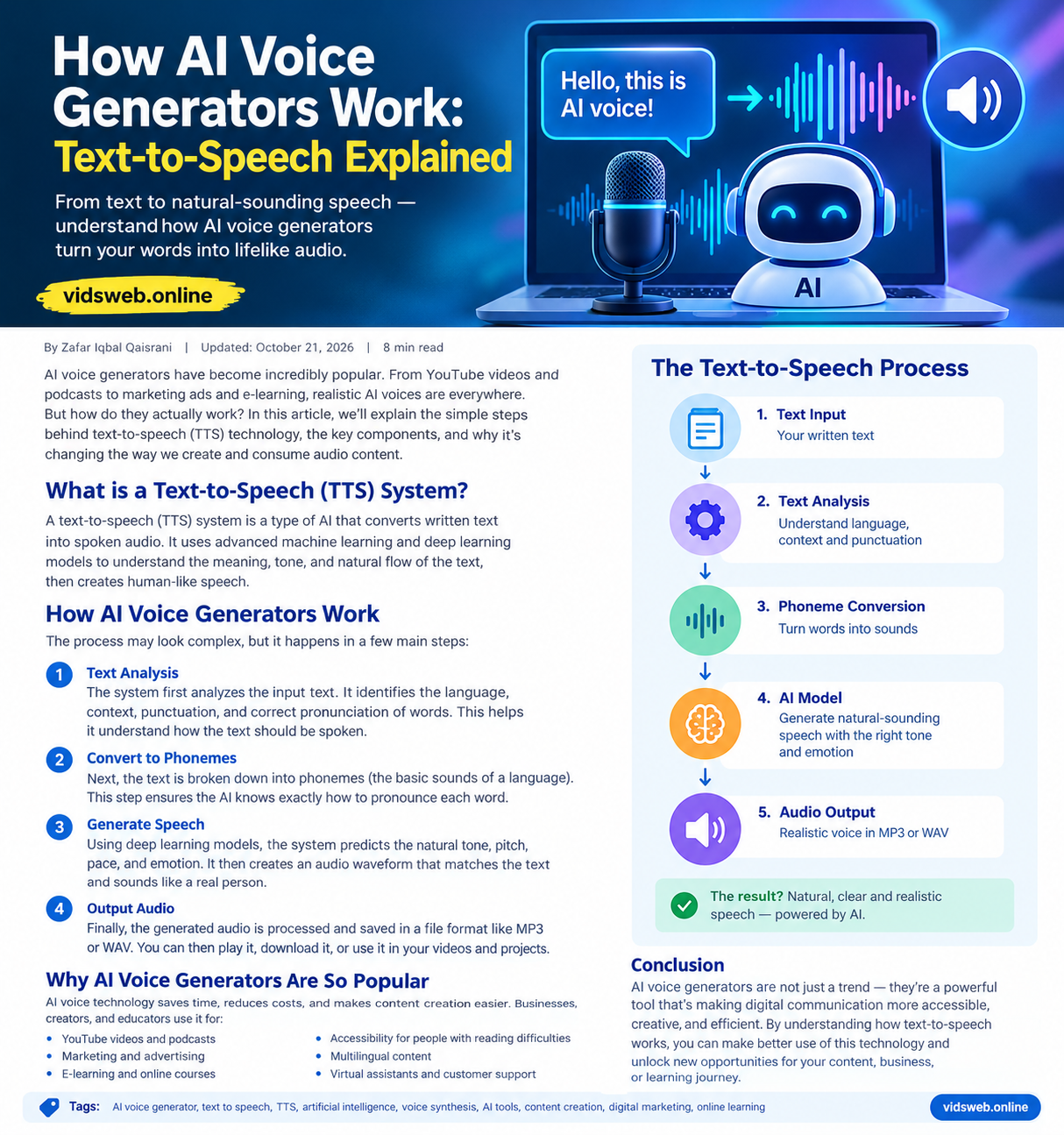
AI voice generation involves several connected steps. Although the exact process varies between tools, most modern systems follow a similar general approach.
1. Entering the Text
The process starts when a user types or pastes text into an AI voice generator.
For example, a user might enter the sentence:
“Welcome to our guide to artificial intelligence.”
The system receives this text and prepares it for processing. Some tools also allow users to upload scripts, select a language, or adjust pronunciation settings.
2. Analyzing the Language
Next, the system analyzes the text to understand its structure and how it should be spoken.
It may identify words, punctuation, sentence boundaries, and other language patterns. These details help determine where pauses should occur and how a sentence might be delivered.
For example, a question may need a different intonation from a normal statement. A comma can indicate a short pause, while a full stop usually marks the end of a sentence.
Understanding context is also important because the same word can have different meanings or pronunciations in different situations.
3. Converting Text Into Speech Representations
The system then converts the text into an internal representation that its speech-generation model can process.
Depending on the architecture, this may involve phonemes, tokens, linguistic features, or learned representations of speech.
Phonemes are the basic sound units that distinguish words in a language. For example, changing one sound in a word can change its meaning.
However, not every modern AI voice generator uses the same phoneme-based approach. Some models learn more direct relationships between text and speech during training.
4. Generating the Voice
This is the main stage of AI voice generation.
A trained machine-learning model predicts how the text should sound. Depending on the system, it may generate speech representations, acoustic features, or audio directly.
The model learns patterns from training data, including pronunciation, rhythm, pitch, and other characteristics of speech.
These learned patterns help the system produce a voice that sounds more natural than older, rule-based speech software.
Some tools also let users select a particular voice or speaking style. More advanced systems may support expressive delivery, multiple speakers, or voice cloning with appropriate authorization.
5. Producing the Audio File
After speech generation, the system produces audio that can be played or downloaded.
Many tools provide common audio formats such as MP3 or WAV, although available formats depend on the service.
The resulting audio can be used in a video, podcast, presentation, online lesson, or other suitable project.
Suggested image 2: Add a simple five-step diagram showing Text Input → Language Analysis → Speech Generation → Audio Processing → Voice Output.
What Makes AI Voices Sound Natural?
Natural-sounding speech requires more than simply pronouncing words correctly. Several factors influence how realistic an AI-generated voice sounds.
Pronunciation
The system needs to pronounce words in a way that matches the selected language and context. Unusual names, technical terms, abbreviations, and regional words can still cause problems.
Tone and Intonation
Human speech changes in pitch and emphasis. A person may emphasize an important word, raise their voice slightly when asking a question, or use a softer tone when explaining something.
Modern speech-generation models can learn many of these patterns and reproduce them to varying degrees.
Rhythm and Pauses
People do not speak every word at the same speed. Natural speech includes pauses, changes in pace, and differences in emphasis.
AI systems attempt to reproduce these patterns so that the resulting narration is easier to follow.
Voice Quality
Training data, model design, audio processing, and the selected voice all affect the final result. Some tools produce expressive narration, while others are better suited to simple announcements or straightforward reading.
Even advanced systems can make mistakes, so listening to the final audio before publishing remains important.
Common Uses of AI Voice Generators
AI voice generators are useful in several areas of digital content creation.
1. YouTube Videos
Creators can generate narration for tutorials, educational videos, explainers, and other content. This can be useful for people who prefer not to record their own voices.
2. Podcasts and Audio Content
AI-generated speech can be used for certain types of audio programs, scripted discussions, and narrated articles. Content involving multiple voices should be reviewed carefully to maintain clarity and consistency.
3. Online Learning
Teachers and course creators can turn written lessons into audio, giving learners another way to access educational material.
4. Marketing and Advertising
Businesses may use AI-generated voices for product demonstrations, promotional videos, and short advertisements. Commercial usage rights depend on the tool’s licence and terms.
5. Accessibility
Text-to-speech technology can make written information available in audio form. It may help people who prefer listening or experience difficulty reading on-screen text.
6. Multilingual Content
Some tools support multiple languages and accents. This can help creators prepare audio for different audiences, although translations and pronunciations should be checked by someone familiar with the target language when accuracy matters.
Suggested image 3: Use a relevant illustration showing a video creator, headphones, an online lesson, and an AI-generated audio waveform.
AI Voice Generators vs. Traditional Text-to-Speech
Both technologies convert written text into speech, but they may use different methods.
| Feature | Traditional TTS | Modern AI Voice Generation |
|---|---|---|
| Speech production | Often relies on predefined rules or recorded speech units | Commonly uses trained machine-learning models |
| Voice quality | May sound mechanical | Can sound more natural and expressive |
| Voice options | Depends on the system | May offer many voices and styles |
| Customization | Often limited | Can include pitch, style, pacing, and other controls |
| Performance | Varies by system | Varies by model and application |
These are general differences rather than absolute rules. Traditional systems can still sound clear and effective, and not every AI voice generator produces realistic speech.
How to Choose an AI Voice Generator
Before choosing a text-to-speech tool, consider what you want to create.
Voice quality: Listen to sample recordings before selecting a tool. A voice that sounds good in a short sample may perform differently with a longer script.
Language support: Check whether the tool supports your required language, accent, and pronunciation needs.
Customization: Look for useful controls such as speaking speed, pauses, emphasis, and voice selection.
Download options: Confirm that the available audio formats work with your video editor or other software.
Pricing and limits: Free plans may restrict the number of characters, downloads, available voices, or commercial features.
Usage rights: Read the terms carefully if you plan to monetize videos, publish advertisements, or use generated audio for business purposes.
Privacy: Avoid submitting confidential scripts, personal information, or sensitive recordings unless the service’s data-handling practices meet your needs.
Are AI Voice Generators Free to Use?
Some AI voice generators offer free plans, free trials, or limited monthly usage. Others require a subscription or payment based on the amount of audio generated.
A free plan may be enough for a short narration or a small personal project. However, regular content creators may need a paid plan for longer scripts, additional voices, higher-quality output, or commercial rights.
Before using a tool for monetized content, check its current pricing, usage limits, and licence conditions. Free access does not automatically mean that every commercial use is permitted.
Limitations and Responsible Use of AI Voices
Although AI voice technology has improved considerably, it still has limitations.
Generated speech may mispronounce names, misunderstand context, or sound unnatural in certain sentences. Some voices may also struggle with emotional delivery, uncommon languages, or specialized terminology.
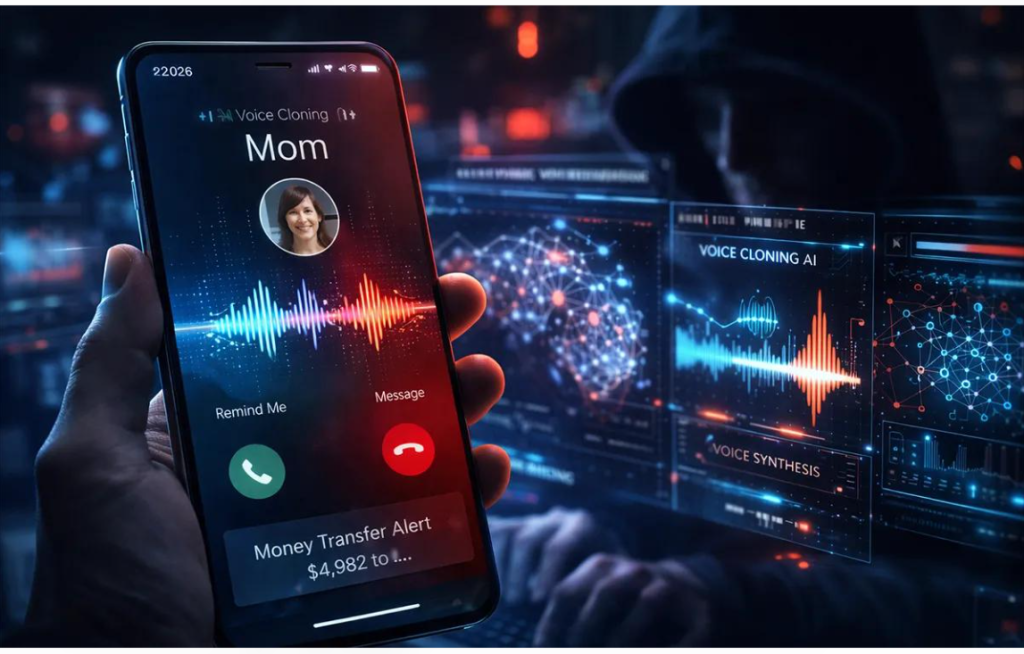
There are also important ethical considerations. Voice cloning can imitate a person’s voice, so it should only be used with appropriate permission and in accordance with applicable laws and service policies.
Do not use synthetic voices to impersonate someone deceptively, create fraudulent messages, or mislead an audience about who is speaking. Where appropriate, clearly disclose that audio has been generated or altered using AI.
For professional projects, review the complete recording and correct any pronunciation, timing, or factual problems before publication.
Frequently Asked Questions
What is text-to-speech technology?
Text-to-speech, or TTS, is technology that converts written text into spoken audio. Modern systems often use machine learning to produce more natural-sounding voices.
How does an AI voice generator create speech?
It processes the input text, uses a trained model to determine how the speech should sound, and generates an audio signal. The exact steps depend on the technology used by the particular tool.
Can AI voice generators speak different languages?
Yes. Many tools support multiple languages, but the range of languages, accents, and pronunciation quality varies between services.
Can I use AI-generated voices for YouTube videos?
Many services permit this use, but you should check the tool’s licence and the relevant platform policies. You remain responsible for your video’s accuracy, originality, and appropriate use of generated audio.
Do AI voice generators replace human voice actors?
Not completely. AI voices can be useful for many routine narration tasks, but human voice actors may offer greater creative control, nuanced performances, and distinctive emotional expression.
Conclusion
AI voice generators use trained models to transform written text into spoken audio. By learning patterns in language and speech, modern text-to-speech systems can produce voices suitable for videos, podcasts, educational materials, and many other applications.
The best results come from choosing a suitable tool, preparing a clear script, checking pronunciation, and reviewing the final recording before publication.
As AI voice technology continues to develop, it is becoming an increasingly useful option for creators and businesses. Understanding how it works can help you use it more effectively, responsibly, and confidently.
For more practical guides on artificial intelligence and digital content creation, explore vidsweb.online.