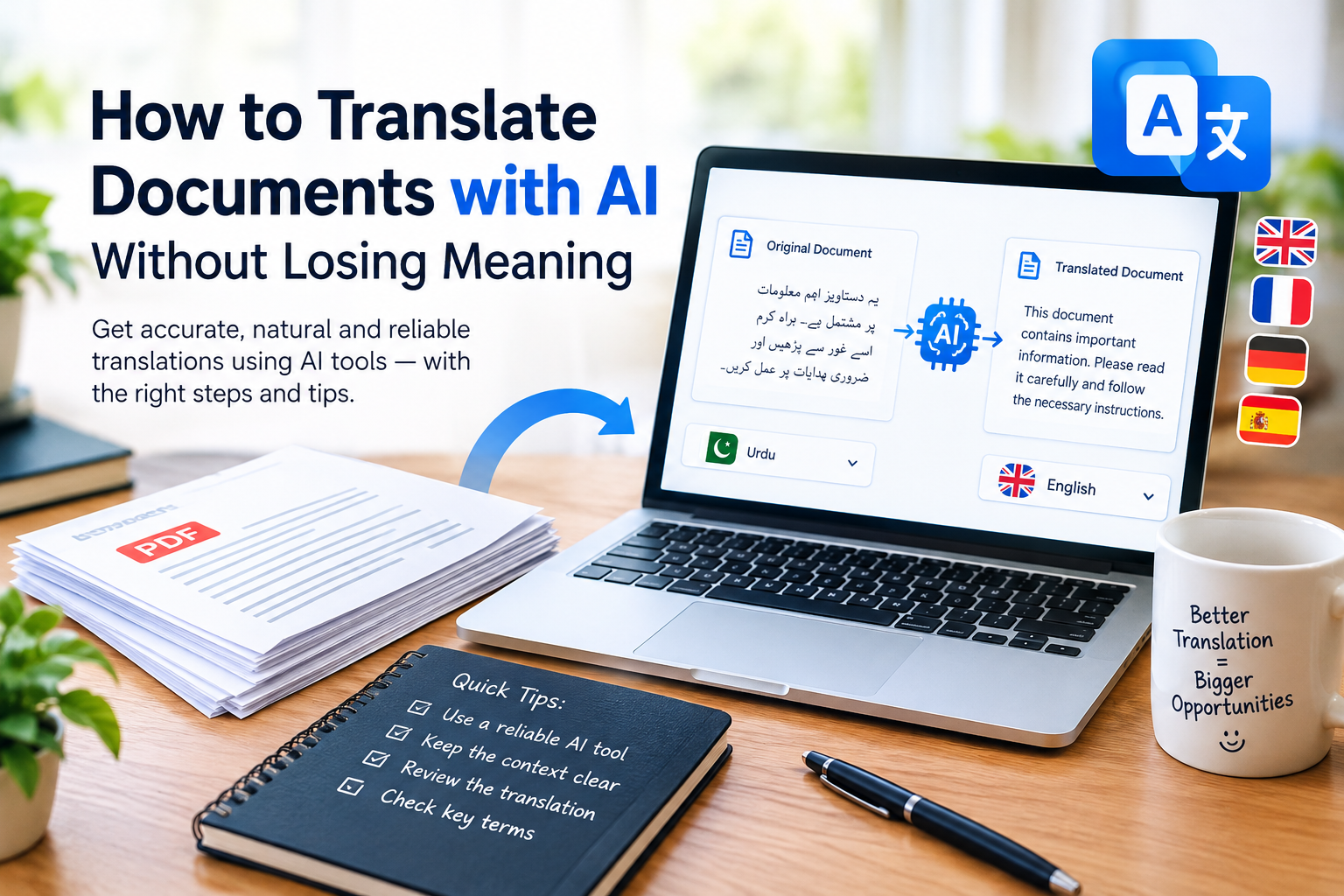
Translating a document is not simply about changing words from one language to another. A good translation should preserve the original meaning, tone, context, and important details. Even a small mistake can change the message, especially in business emails, academic documents, technical guides, or official paperwork.
AI translation tools have made this process faster and more accessible. Instead of translating every sentence manually, you can use artificial intelligence to translate large sections of text, understand unfamiliar phrases, and create a more natural version in another language.
However, AI translation is not always accurate. Some tools may misunderstand idioms, miss cultural references, change the tone, or translate technical terms incorrectly.
The good news is that you can reduce these problems by choosing the right tool, preparing your document properly, and reviewing the translated version carefully.
In this guide, you will learn how to translate documents with AI without losing meaning, which tools you can consider, and how to check the final result before using or sharing it.
Why Meaning Matters in AI Document Translation
A word-for-word translation can look correct while communicating the wrong message. Languages have different grammatical structures, expressions, and cultural meanings. A phrase that sounds natural in one language may sound confusing or inappropriate in another.
For example, the English expression “break the ice” usually means making people feel more comfortable in a social situation. Translating it literally into another language may not communicate that meaning.
The same problem can occur in professional documents. A mistranslated instruction, measurement, deadline, or legal term can create confusion or lead to costly mistakes.
When translating documents with AI, pay attention to four important elements:
- Meaning: The translated text should communicate the same information as the original.
- Context: The translation should reflect the subject, audience, and purpose of the document.
- Tone: A formal letter should remain formal, while a friendly message should retain its natural tone.
- Details: Names, dates, figures, units, conditions, and instructions must remain accurate.
AI can help with all four, but human review is still important when accuracy matters.
Best AI Tools for Translating Documents
Several AI-powered services can help translate text or documents. The right option depends on your language pair, file format, privacy requirements, and the level of accuracy you need.
1. Google Translate
Google Translate is a convenient starting point for everyday translation. It supports many languages and provides text translation, document translation, and other language features, depending on the device and platform.
You can use it to understand reports, letters, articles, and other common documents.
Best for: Quick translations, general documents, and understanding foreign-language content.
What to check: Complex sentences, specialized terminology, and formatting after translation.
Website: https://translate.google.com/
2. DeepL Translator
DeepL is known for its neural machine translation and offers translation features for supported languages and document formats. Depending on the language and plan, it may help produce natural-sounding translations while retaining document structure.
It can be useful when translating business communications, reports, and longer passages.
Best for: Natural-sounding translations and supported professional document workflows.
What to check: Language availability, document upload limits, subscription requirements, and specialized terms.
Website: https://www.deepl.com/translator
3. ChatGPT
ChatGPT can translate text and help explain ambiguous expressions, adjust tone, and suggest alternative wording. You can paste text directly or, where file uploads are available, provide a supported document for assistance.
One advantage is that you can explain the purpose of your document before requesting a translation. For example, you can ask for formal business English rather than a literal translation.
Best for: Context-sensitive translation, rewriting awkward sentences, explaining difficult phrases, and reviewing terminology.
What to check: Names, figures, omitted details, technical accuracy, and any unsupported assumptions introduced during rewriting.
Website: https://chatgpt.com/
4. Microsoft Translator
Microsoft Translator provides text translation and language features across supported Microsoft products and services. It can be useful for everyday communication and multilingual workflows.
Document-specific capabilities depend on the Microsoft service you use, so check the available features before uploading a file.
Best for: Everyday translation and workflows that already use supported Microsoft services.
What to check: Document handling, language support, and whether your chosen service preserves the original layout.
Website: https://www.microsoft.com/en-us/translator/
Which tool should you choose?
For a quick translation, start with Google Translate. Consider DeepL when its supported languages and document features suit your needs. Use ChatGPT when you want to explain the context, clarify terminology, or refine the translated wording. Microsoft Translator is another option for compatible workflows.
Do not assume that one tool is always the most accurate. Test the result against the original, particularly when translating specialized or important documents.
Step-by-Step: How to Translate Documents with AI Without Losing Meaning
Follow these steps to get a more reliable translation.
Step 1: Prepare Your Original Document
Before using an AI translation tool, check the source document.
Make sure the text is readable and the document does not contain unnecessary formatting problems. If you are working with a scanned PDF or an image, you may need optical character recognition (OCR) to extract the text before translating it.
Review the extracted text for missing words, incorrect characters, and misplaced numbers.
Pay particular attention to:
- Headings and section titles
- Tables and bullet points
- Dates and measurements
- Footnotes and captions
- Names and specialized vocabulary
If the original document contains an error, the translation may reproduce that error or interpret it incorrectly.
Step 2: Choose the Correct Source and Target Languages
Select the language of the original document and the language you want to use for the translation.
Do not rely entirely on automatic language detection when the document contains short sentences, mixed languages, abbreviations, or specialized vocabulary.
Also consider regional differences. For example, business English intended for readers in the United Kingdom may use different spelling conventions from English intended for readers in the United States.
If the target language has formal and informal forms of address, consider which one suits your audience.
Step 3: Provide Context Before Translating
Context helps an AI tool understand what the document is trying to communicate.
For example, a short phrase may have several possible meanings depending on whether it appears in a legal agreement, a technical manual, a school assignment, or a casual conversation.
When using an AI assistant, explain the document’s purpose and intended audience before requesting the translation.
You can use the following prompt:
Example AI prompt:
“Translate the following document from Urdu into English. Preserve the original meaning, tone, names, dates, figures, headings, and paragraph structure. Use natural, clear English without adding new information or removing any details. If a phrase is ambiguous, identify it instead of guessing. Keep technical terms consistent throughout the document.”
This instruction gives the AI a clearer goal than simply asking it to translate the text.
Step 4: Translate the Document in Manageable Sections
For a short document, translating the entire text at once may work well. For a long report or a document containing technical terminology, working in sections can make review easier.
You can translate one chapter, heading, or group of paragraphs at a time.
Keep a record of important terms so the same concept is translated consistently throughout the document. If a company name, product name, or technical expression should remain unchanged, state that requirement clearly.
Avoid dividing a document so aggressively that individual sentences lose their context. The AI should have enough surrounding text to understand references and relationships between ideas.
Step 5: Review the Translation Against the Original
Never assume that a fluent translation is automatically correct.
Compare the original and translated versions side by side. Check whether every important statement appears in the translated document and whether its meaning has remained unchanged.
Look for:
- Missing sentences or paragraphs
- Added claims that were not in the original
- Incorrect numbers, dates, or measurements
- Changes in conditions, permissions, or obligations
- Inconsistent translations of the same term
- Sentences that sound natural but communicate a different idea
For example, “You may submit the application” and “You must submit the application” communicate different levels of obligation. A translation that changes permission into a requirement is not accurate.
If a sentence seems suspicious, ask the AI to explain its translation choices or provide alternatives. Then verify the correct meaning using the original context.
Step 6: Check Idioms, Cultural Expressions, and Tone
Idioms and cultural references are common sources of translation errors.
A literal translation may preserve individual words while losing the intended message. In such cases, a natural equivalent in the target language may be more appropriate.
Consider the expression “get the ball rolling.” Its intended meaning is to begin an activity or process. A good translation should communicate that idea rather than focus on the literal words.
Tone also matters. A complaint should not become an aggressive accusation, and a polite request should not become a demanding instruction.
If a particular expression has no clear equivalent, ask the AI to explain its meaning and suggest a contextually appropriate translation.
Step 7: Verify Important Names, Numbers, and Technical Terms
Some parts of a document require more careful checking than ordinary sentences.
Verify names of people and organizations, addresses, account references, dates, currency amounts, percentages, measurements, and mathematical expressions.
In medical, legal, financial, and technical documents, check specialized terms against reliable references or have the translation reviewed by a qualified professional.
Do not allow the AI to guess missing information. If the source text is unclear, preserve the uncertainty and investigate the original.
Step 8: Check Formatting and Export the Final Document
After translation, review the document’s layout.
Tables may shift, page breaks may change, and text may expand or contract depending on the target language. Some tools may not preserve every element of the original formatting.
Check the final file for:
- Correct headings and numbering
- Readable tables and lists
- Proper paragraph spacing
- Correct placement of images and captions
- Consistent fonts and text direction
- Missing or duplicated content
If the document will be shared professionally, export it to the required format and open the exported file to make sure everything displays correctly.
How to Write Better AI Prompts for Translation
A clear prompt can improve the usefulness of an AI translation. Instead of asking for a general translation, specify what must remain unchanged.
Here are three practical prompts you can adapt.
Prompt 1: General Document Translation
“Translate this document from [source language] into [target language]. Preserve its meaning, tone, names, dates, figures, headings, and structure. Use natural language appropriate for the intended audience. Do not summarize, omit details, or add information that is not present in the original.”
Prompt 2: Business Document Translation
“Translate this business document into professional [target language]. Keep the original meaning, business terminology, commitments, deadlines, and conditions unchanged. Use a formal and clear tone. Flag ambiguous expressions instead of guessing, and maintain consistent terminology throughout the document.”
Prompt 3: Translation Review
“Compare the original text with the translated version. Identify any missing information, incorrect meaning, mistranslated terms, altered figures, or changes in tone. Suggest corrections while preserving the original message. Do not rewrite accurate sentences unnecessarily.”
These prompts can be adjusted for reports, letters, educational materials, product descriptions, and other everyday documents.
Remember that a prompt is an instruction, not a guarantee of accuracy. Always check important translations.
Common Mistakes to Avoid When Translating Documents with AI
Even a good translation tool can produce disappointing results if it is used carelessly.
1. Translating without checking the context
A word can have multiple meanings. Provide enough surrounding text for the AI to understand how it is being used.
2. Trusting fluent language without verifying accuracy
A sentence may sound professional while containing a serious factual or grammatical error. Compare it with the original.
3. Ignoring formatting
A translation is not complete if important table entries, headings, footnotes, or instructions are missing.
4. Using inconsistent terminology
If the same technical term appears repeatedly, verify that it has been translated consistently or deliberately retained in its original form.
5. Uploading confidential documents without checking privacy terms
Before uploading contracts, identity documents, business records, or personal information, review the tool’s privacy policy, data retention practices, and account settings. Remove unnecessary sensitive information where possible, and use an approved service for confidential material.
6. Using AI as the final authority for official documents
AI output may not meet legal, regulatory, or institutional requirements. Some documents require certified translation or review by an authorized professional.
Can You Translate PDF and Word Documents with AI?
Yes. Many translation services support document translation for selected file formats, including certain PDF and Word files. However, the available features depend on the tool, subscription, language, and document size.
For a Word document, upload the file if the selected service supports it, choose the target language, and review the translated file for formatting changes.
PDF files may require extra attention. A text-based PDF is generally easier to process than a scanned document containing images of text. If the text cannot be selected, OCR may be needed before translation.
For scanned files, check the extracted text carefully because OCR can confuse similar characters, punctuation, numbers, and names.
If a document contains complex tables, handwritten notes, signatures, or diagrams, inspect those elements manually after translation.
How to Keep Your Documents Private While Using AI Translation
Document translation sometimes involves sensitive information. Before using an online service, consider whether the file contains personal, financial, medical, legal, or confidential business data.
Use a trusted service whose privacy and data-handling practices suit the sensitivity of your document. Check whether uploaded files or conversations may be stored, used to improve services, or accessed by authorized personnel under the provider’s policies.
For documents that do not require personal identifiers, consider replacing names, account numbers, or other sensitive details with placeholders before uploading them.
For example, you could replace a person’s name with “[CLIENT NAME]” and restore the original name after translation. Make sure placeholders remain unchanged in the translated document.
If your organization has an approved translation system, use that system instead of uploading confidential material to an unapproved third-party tool.
Frequently Asked Questions
1. What is the best AI tool for translating documents?
The best tool depends on your language pair, document format, and purpose. Google Translate, DeepL, ChatGPT, and Microsoft Translator offer different translation capabilities. Compare their supported features and review the output before choosing one for important work.
2. Can AI translate documents accurately?
AI can translate many everyday documents effectively, but accuracy varies with the language, context, subject matter, and quality of the original text. Important translations should be checked against the source, particularly when errors could have serious consequences.
3. Can I translate a PDF document with AI for free?
Some services offer free PDF translation or limited document features. Availability, file-size limits, supported formats, and account requirements vary. Check the current terms of the service before uploading your PDF.
4. How can I prevent AI from changing the original meaning?
Provide clear instructions to preserve meaning, context, tone, terminology, and all important details. Ask the AI to flag ambiguous phrases rather than guess. Then compare the translation with the original and verify critical information.
5. Is AI translation suitable for legal or medical documents?
AI may help create a preliminary translation or explain general terminology, but it should not replace qualified professional review when accuracy is critical. Legal and medical documents may require specialist or certified translation, depending on their intended use and applicable requirements.
6. Does AI preserve the original document’s formatting?
Some document translation tools preserve much of the original layout, but results vary. Tables, images, footnotes, page breaks, and text direction may change. Always inspect the translated file before sharing it.
7. Can ChatGPT translate a complete document?
ChatGPT can translate text and may process supported uploaded files, depending on the available features and file limitations. For long documents, working in sections can make terminology and quality checks easier.
8. Should I use AI translation or a human translator?
AI is useful for speed, everyday communication, and initial drafts. A professional translator is a better choice when a document requires specialized knowledge, cultural sensitivity, certification, or a high level of accountability. In some situations, using AI for a draft followed by professional review can be practical.
Final Thoughts
AI has made document translation easier, faster, and more accessible. With tools such as Google Translate, DeepL, ChatGPT, and Microsoft Translator, you can translate many types of content without manually rewriting every sentence.
The key is to focus on meaning rather than simply converting words. Prepare the original file, provide context, choose suitable terminology, review the translated text, and check the final formatting.
For everyday documents, these steps can help you produce clearer and more reliable translations. For legal, medical, financial, or other high-stakes material, seek qualified review when needed.
The most reliable approach is to use AI as a translation assistant, not as a substitute for careful verification.